How to Keep Your Refurbished Laptop Cool in Sharjah Heat
Sharjah summers are hard on laptops. When the air outside is over 40 degrees, a laptop has to work harder to cool itself, and a hot laptop slows down, gets loud, and wears out faster. This guide explains why laptops overheat here, what you can do at home today, and when the laptop needs a technician. The tips apply to any laptop, but they matter most for refurbished laptops that work all day in offices, shops and homes across Sharjah.
Quick answer: Use the laptop on a hard flat surface, keep the vents clear, clean dust from the vents, and do not leave the laptop in a parked car or in direct sun. If the fan runs loud during light work, or the laptop shuts down by itself, stop heavy work and get the cooling checked. Heat damage builds up slowly, so small habits now protect the laptop for years.
Why does heat slow a laptop down?
A processor makes heat when it works. A fan and vents push that heat out. When heat cannot escape, the processor slows itself down on purpose to avoid damage. This is called thermal throttling. It feels exactly like a slow laptop, even though the processor is fine. The laptop may also feel hot on the base, the fan may run loud, and in extreme cases the laptop may shut down without warning. None of this means the laptop is broken. It means the cooling is not keeping up.
Habit 1: Always use a hard flat surface
The most common cause of overheating is also the simplest to fix. A laptop on a bed, a cushion or your lap blocks the vents on the base and sides. Hot air stays trapped under the laptop. Always use a desk or a table. If you must work from a sofa, use a lap desk or a tray that keeps the base clear. A simple laptop stand helps even more, because it lifts the laptop and lets air flow under it. This one habit alone prevents many heat problems.
Habit 2: Keep the laptop out of sun and cars
Never leave a laptop in a parked car in Sharjah summer. Inside a car, temperatures rise far above the outside air in minutes, and that heat can damage the battery and the screen. The same applies to a desk in direct afternoon sun through a window. Store and use the laptop in shade, in a room with air flow. If the laptop feels very hot to touch after being in a car, let it cool to room temperature before you switch it on and charge it.
Habit 3: Clean the vents
Dust builds up in vents over time, especially in busy streets and dusty rooms. Dust blocks air flow just like a cushion does. With the laptop off and unplugged, use short bursts of compressed air on the vents to push dust out. Do not use a vacuum cleaner on the vents, and do not push anything into the fan. If you are not comfortable doing this, our Sharjah team can clean the vents during a check. A clean laptop runs quieter and cooler at once.
Habit 4: Close what you are not using
Heavy work makes more heat. Video editing, games and many open browser tabs push the processor hard. For office work, close tabs and apps you finished with. Keep video calls to one app at a time. If you only need documents and email, you do not need a game launcher and a video editor running in the background. Less work means less heat, and the fan stays quiet.
Habit 5: Check the power settings
Windows has power modes. On battery, the balanced mode is usually best for heat. The high performance mode pushes the processor harder and makes more heat, and it is only needed for heavy work. If your laptop runs hot during normal office work, check that it is not stuck on high performance. Also check that the battery is not always charging to full and staying hot on a desk all day. Unplug once charged if you work at a desk for hours.
When is heat a warning sign?
- The fan runs loud during light work like email and documents.
- The laptop feels very hot on the base during light work.
- The laptop slows down sharply after 20 or 30 minutes of use, then recovers after a rest.
- The laptop shuts down by itself, especially during video calls or large files.
- The battery swells, or the keyboard or base lifts slightly. Stop using the laptop and get it checked at once if you see swelling.
One hot afternoon is not a warning sign. A pattern over days is. If you see the pattern, bring the laptop in before the heat damages the battery or the processor.
What a technician checks
A proper cooling check looks at the fan, the vents, the cooling paste between the processor and the heat sink, and the battery health. Cooling paste dries out over years, and replacing it can drop temperatures a lot. A worn fan that spins slowly also needs replacement. These are routine jobs for a repair shop, and they cost far less than a new laptop. Every laptop at Laptops Gulf passes a multi point test before sale, including a cooling check, and carries a 12 month warranty and 10 day returns.
Refurbished models that handle office heat well
Business laptops are built for all day office use, with stronger cooling than thin consumer laptops. These models from our shop show good value at different budgets. Prices are the live shop prices at the time of writing.
| Model | Why it fits Sharjah office work | Shop price |
|---|---|---|
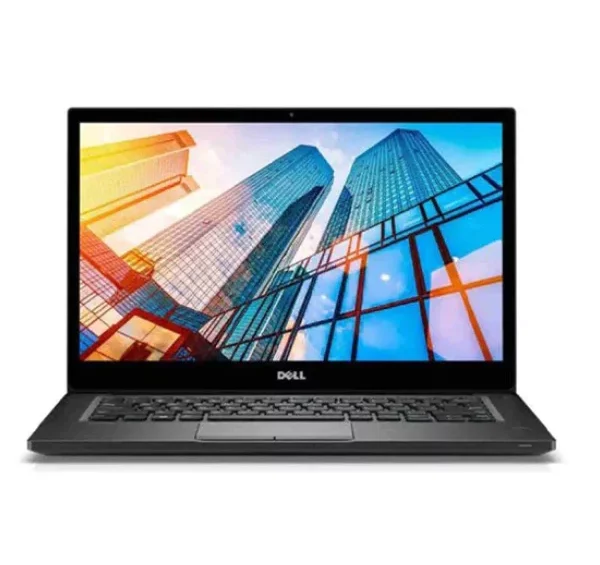
| Dell Latitude 7490 | Compact 14 inch business laptop, strong build | AED 570 |
| HP EliteBook 840 G5 | Light 14 inch EliteBook, clear screen, reliable daily use | AED 739 |
| Dell Latitude 5320 | Newer 11th generation option for busier days | AED 870 |
| Lenovo ThinkPad T14s | ThinkPad keyboard quality, slim design | AED 1,070 |
| HP EliteBook 840 G8 | Newer EliteBook with 11th generation power | AED 1,169 |
Frequently asked questions
Is it normal for a laptop to feel warm?
Yes. Warm during work is normal. Very hot to touch, loud fan during light work, or sudden shutdowns are not normal, and those need a check.
Does a cooling pad help?
A cooling pad can help, especially for laptops used on a desk all day. It is not a fix for blocked vents or a dead fan. Clean the vents first, then use a stand or pad for extra air flow.
Can Sharjah heat damage the battery?
Yes, over time. Heat is the main enemy of laptop batteries. Keep the laptop cool, avoid charging in a very hot room, and do not leave it in a car. If battery life drops sharply, ask for a battery health check.
Should I worry about a refurbished laptop in summer?
No, if it was tested properly and sold with a written warranty. A tested business laptop with clean cooling handles Sharjah heat as well as a new laptop, and our 12 month warranty covers you if a fault appears.
Worried about heat or a loud fan? Visit our Sharjah store in Industrial Area 6, or message us on WhatsApp at +971 506 757 156. Bring the laptop in for a cooling check, and we will give honest advice before you spend on any repair.