Best Laptop for Work from Home in Sharjah 2026
Short answer: the best laptop for work from home in Sharjah is the Dell Latitude 5320 at AED 736. It has an 11th Gen Intel processor, 8GB RAM and a fast 256GB SSD in a light 13.3 inch body, which is the right mix for video calls, documents, and a full workday at home. If your budget is tight, the Dell Latitude 7490 at AED 574 is the best value pick, and the Lenovo ThinkPad T14s at AED 1,204 is the best pick if you work from home every day and want the best keyboard and the most power. Every laptop in this guide is refurbished, tested, and covered by a 12 month warranty with free delivery across Sharjah and Dubai and Cash on Delivery. Every price here is a live price from our shop, checked on 20 and 21 November 2026.
In this guide we explain what makes a laptop good for working from home, compare six real refurbished models with live prices, and show you which one fits your work: video calls all day, documents and spreadsheets, study from home, or a full professional home office. We also answer the questions buyers ask us most: how much RAM do you need to work from home, is a refurbished laptop good for home office work, and which laptop is best for Zoom and Teams calls in Sharjah.
What Makes a Laptop Good for Work from Home?
Working from home is different from working in an office. There is no IT team down the hall, no spare laptop on a shelf, and your video calls happen in your living room. A laptop that is fine for one hour of email can feel slow after a full day of calls, documents, and browser tabs. Here is what matters, in plain words.
A clear webcam and microphone for video calls
Video calls are the heart of work from home. You need a webcam that shows your face clearly and a microphone that picks up your voice without echo. All six laptops in this guide have a built in webcam and microphone that work well for Zoom, Teams, and Google Meet. The ThinkPad T14s also has a privacy shutter, so you can close the camera when the call ends.
A comfortable keyboard for a full day of typing
At home you type for hours, so the keyboard matters more than it does for a student who uses a laptop for one class. Business laptops have the best keyboards. The ThinkPad T14s has the best keyboard in this guide, and the Dell Latitude and HP EliteBook keyboards are also good, with backlit keys for evening work. A cheap new laptop often has a shallow keyboard that tires your hands by lunch.
A sharp screen that does not tire your eyes
You look at the screen all day, so it should be sharp and bright. A 14 inch Full HD screen is the right size for most home workers. The Latitude 5320 has a smaller 13.3 inch screen, which is easier to carry around the house, and the ThinkPad T14s has a 14 inch Full HD screen with a slim body. Avoid a dim screen: it will tire your eyes in a week.
Fast Wi-Fi and the right ports
Home Wi-Fi is not always strong in every room, so a laptop with modern Wi-Fi helps. The Latitude 5320 and 5420 have Wi-Fi 6, which holds a video call steady even when the rest of the house is online. Ports matter too: USB-C, HDMI, and a normal USB port let you plug in a second screen, a mouse, and a headset without buying extra adapters.
Quiet running and a healthy battery
A laptop with a loud fan is annoying on a video call, and a weak battery ties you to one socket all day. Business laptops are built to run quiet, and every laptop in this guide has a health tested battery. If the power goes out or you move to another room, a healthy battery keeps you working.
Quick rule: for work from home, buy a laptop with a good webcam, a comfortable keyboard, and a fast SSD first. A slightly faster processor matters less than a clear video call and a keyboard that feels good after eight hours.
The 6 Best Refurbished Laptops for Work from Home Compared
Here are the six best refurbished laptops for work from home in our shop right now, with live prices checked on 20 and 21 November 2026. All six are in stock, tested, and covered by a 12 month warranty.
| Laptop | Processor | RAM | Storage | Screen | Price | Best for |
|---|---|---|---|---|---|---|
| Dell Latitude 5480 | Core i5 7th Gen | 8GB | 256GB SSD | 14 inch FHD | AED 464 | Tight budget |
| Dell Latitude 7490 | Core i5 8th Gen | 8GB | 256GB SSD | 14 inch FHD | AED 574 | Best value pick |
| Dell Latitude 5420 | Core i5 11th Gen | 8GB | 256GB SSD | 14 inch FHD | AED 714 | Video calls |
| Dell Latitude 5320 | Core i5 11th Gen | 8GB | 256GB SSD | 13.3 inch FHD | AED 736 | Best overall pick |
| HP EliteBook 840 G5 | Core i5 8th Gen | 8GB | 256GB SSD | 14 inch FHD | AED 764 | Stylish HP pick |
| Lenovo ThinkPad T14s | Core i7 10th Gen | 16GB | 512GB SSD | 14 inch FHD | AED 1,204 | Full time home office |
Our Top Pick: Dell Latitude 5320 at AED 736
If you want one clear answer, buy the Dell Latitude 5320. It is the best mix of price, size, and power for work from home in our shop. The 11th Gen Intel Core i5-1135G7 is a modern chip that handles video calls, documents, spreadsheets, and many browser tabs at the same time. With 8GB of RAM and a fast 256GB SSD, it starts fast and stays smooth through a full workday.
The 5320 is also the lightest laptop in this guide, with a 13.3 inch screen in a slim body. That makes it easy to carry from your desk to the kitchen table to the balcony when you want a change of scene. It has Wi-Fi 6, which keeps video calls steady, and a backlit keyboard for evening work. Windows 11 Pro is installed, so it is ready for work on the day it arrives.
Compared with the cheaper 7490, the 5320 is two generations newer, with a faster chip and better Wi-Fi. Compared with the ThinkPad T14s, it costs AED 468 less and still does the same daily home office work. For most people working from home in Sharjah, the 5320 is the sweet spot.
Best Value Pick: Dell Latitude 7490 at AED 574
If your budget is tight, the Dell Latitude 7490 is the best value in this guide. For AED 574 you get an 8th Gen Core i5-8250U, 8GB of RAM, a 256GB SSD, and a 14 inch Full HD screen with Windows 11 Pro. That is a complete home office laptop for less than the price of a new budget machine that would be slower and weaker.
The 7490 handles video calls, Word and Excel, email, and browsing with ease. It has USB-C, HDMI, and a network port, so you can plug in a second screen at your desk. The honest limit is the processor: an 8th Gen chip is slower than the 11th Gen chip in the 5320 when you have many apps open at once. For a normal workday of calls and documents, you will not feel the difference. For heavy multitasking, spend the extra AED 162 and buy the 5320.
Dell Latitude 5420 at AED 714: The Video Call Pick
The Dell Latitude 5420 in our Sharjah shop is a good pick if video calls fill your day. It has the same 11th Gen Core i5-1135G7 chip as the 5320, with 8GB of RAM and a 256GB SSD, plus Wi-Fi 6 for steady calls. Its 14 inch Full HD screen is a little bigger than the 5320, which suits people who keep a call on one side and notes on the other.
Note the difference from the same model on our sister site: the Sharjah 5420 has 8GB of RAM and a 256GB SSD, while the Dubai shop lists a 16GB and 512GB version. Both are the same model, but this Sharjah unit is the lighter configuration, and the price reflects that at AED 714. If you need 16GB of RAM for heavy work, ask us about the ThinkPad T14s instead.
HP EliteBook 840 G5 at AED 764: The Stylish Pick
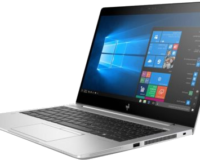
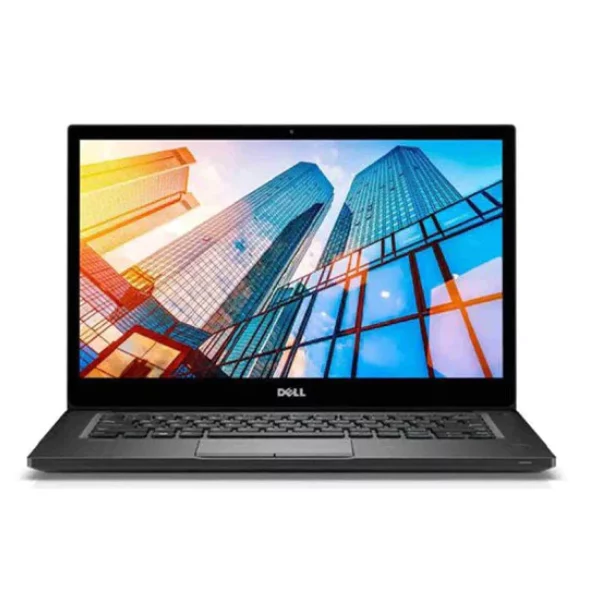
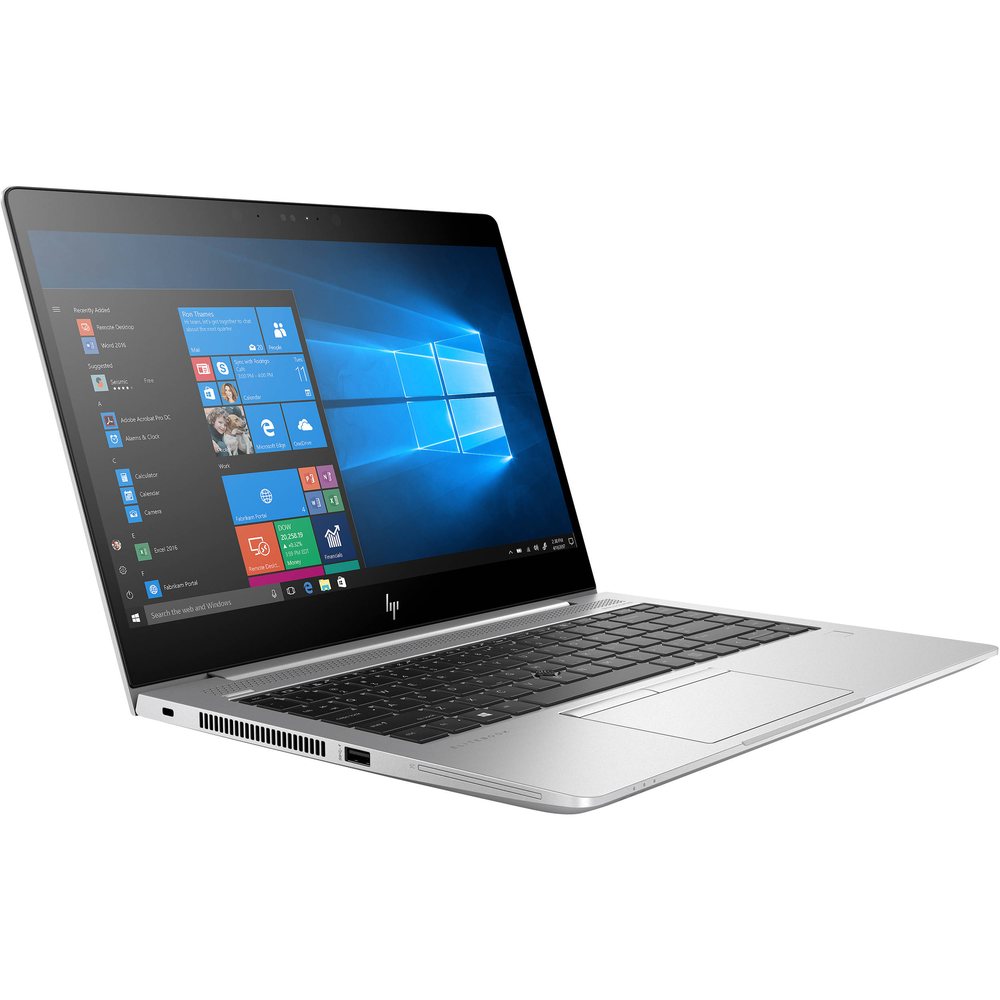
The HP EliteBook 840 G5 is the most stylish laptop in this guide, with a slim silver body that looks smart on a video call. It has an 8th Gen Core i5-8350U, 8GB of RAM, a 256GB SSD, and a 14 inch Full HD screen. The backlit keyboard and the solid build make it a pleasant machine for a full day of typing.
For work from home, the 840 G5 does everything the 7490 does, with a nicer look and feel. It costs AED 190 more than the 7490, so the choice is simple: buy the 7490 if price matters most, buy the 840 G5 if you want a smarter looking laptop on your calls. Both are tested, both carry a 12 month warranty, and both are ready to work on arrival.
Dell Latitude 5480 at AED 464: The Tight Budget Pick
The Dell Latitude 5480 is the cheapest laptop in this guide, and the honest choice if money is tight. For AED 464 you get a 7th Gen Core i5, 8GB of RAM, a 256GB SSD, and a 14 inch screen. It handles documents, email, browsing, and video calls, which is what most home workers actually do all day.
The honest limit is the age of the chip. A 7th Gen processor is fine for light work, but it will feel slow with many tabs open or with large files. If you can stretch to AED 574, the 7490 is a better buy. But if AED 464 is your budget, the 5480 is a real working laptop with a warranty, not a toy, and it beats any new laptop at the same price.
Lenovo ThinkPad T14s at AED 1,204: The Full Time Home Office Pick
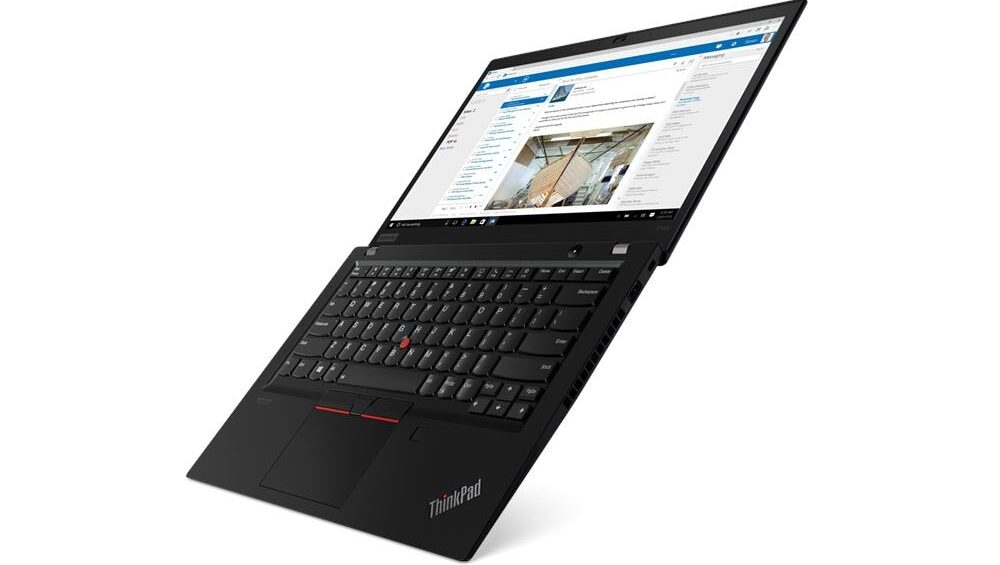
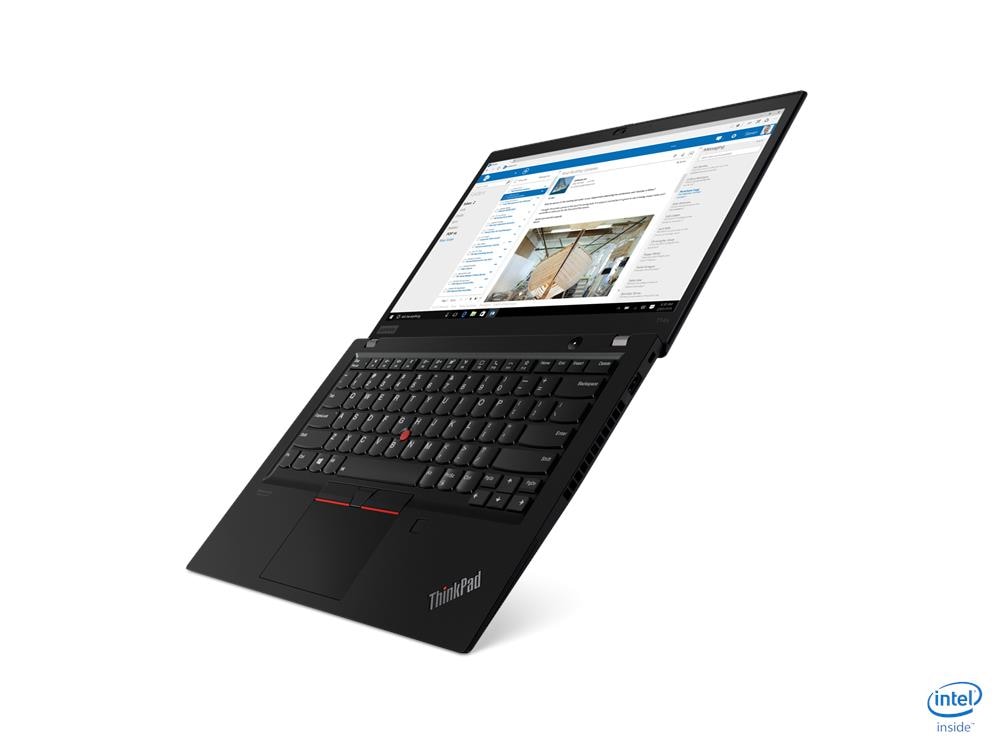
If you work from home every day, the Lenovo ThinkPad T14s is the best laptop in this guide. It has a 10th Gen Core i7, 16GB of RAM, a 512GB SSD, and a 14 inch Full HD screen in a slim metal body. That is double the memory and double the storage of the other laptops here, which means it stays smooth when you have many apps open at once.
The T14s also has the best keyboard of any laptop in this guide, a webcam with a privacy shutter, and Thunderbolt 3 for a fast connection to a dock or a second screen. Windows 11 Pro is installed. If your home is your office five days a week, the T14s is worth the extra money: it is the laptop that will still feel fast in two years.
Setting Up a Home Office in Sharjah: 5 Simple Tips
The laptop is only half of working from home. These five tips cost little and make a big difference.
1. Add a second screen if you can
A second screen is the biggest upgrade for home workers. Keep your video call on the laptop screen and your document on the big screen. Any laptop in this guide can drive a second screen over HDMI or USB-C. Ask us about a screen if you need one.
2. Use a headset for calls
A simple USB headset makes your voice clearer on calls and blocks the noise of the house. It also helps you focus. You do not need an expensive one: a basic headset with a microphone is enough.
3. Sit near your Wi-Fi router
Video calls freeze when the Wi-Fi is weak. Sit in the room closest to the router, or use a cable if your laptop has a network port. The Latitude 7490 and the ThinkPad T14s both have a wired network port for a steady connection.
4. Light your face for video calls
Sit facing a window or a lamp, not with a bright window behind you. Your face will look clear on camera, and your colleagues will see you properly. This costs nothing and makes every call better.
5. Keep your laptop on a hard surface
Use your laptop on a desk or a table, not on a bed or a cushion. A hard surface lets air flow under the laptop, so it stays cool and quiet. A simple laptop stand also helps, and it lifts the screen to a better height for your neck.
Is a Refurbished Laptop Good for Work from Home?
Yes, and for a simple reason: the best laptops for working from home are business laptops, and the best value business laptops are refurbished ones. A new business laptop with an 11th Gen chip, 8GB of RAM and an SSD costs several thousand dirhams. The same machine refurbished costs AED 736, with a tested battery, a fresh Windows 11 Pro install, and a 12 month warranty.
Refurbished business laptops also have two advantages a new budget laptop does not. First, the build is stronger: metal bodies, spill resistant keyboards, and easy servicing. Second, most models let you add RAM or a bigger SSD later, so the laptop grows with your work. A new budget laptop often has fixed RAM and a weak screen, and it cannot grow at all.
The only real risk is buying from a seller with no warranty and no testing. Every laptop at Laptops Gulf is tested before it ships, and every one carries a written 12 month warranty with 10 day returns. If a laptop is not right for your work, you can return it. Our warranty guide explains in plain words what the 12 months actually cover.
Pros and Cons of a Refurbished Laptop for Home Work
Pros
- Far lower price for the same power: an 11th Gen business laptop for AED 736 instead of several thousand new.
- Business class build: strong body, spill resistant keyboard, and parts that are easy to service in Sharjah.
- 12 month warranty: every laptop in this guide is covered for a full year, with 10 day returns.
- Ready to use: Windows 11 Pro is installed and activated, with a charger in the box.
- Free delivery: we deliver free across Sharjah and Dubai, and you can pay by Cash on Delivery.
Cons
- Not the newest design: a refurbished laptop is one or two generations behind the latest model, so it will not have the newest chip.
- Battery health varies: refurbished batteries are tested, but they are not new. Every unit is health checked, and the warranty covers a battery that fails in normal use.
- Small cosmetic marks: a refurbished laptop may have light marks from its first working life. It is fully tested and working, but it is not brand new in the box.
- Most models have 8GB RAM: only the ThinkPad T14s in this guide has 16GB. If you run heavy tools, check the RAM before you buy, and pick the T14s for serious work.
Buyer Checklist: Before You Pay for a Work from Home Laptop
- Check it has an SSD, not a hard drive: every laptop in this guide has a fast SSD. If a seller offers a hard drive laptop for home work, walk away.
- Check the webcam works: open the camera app and look at your own picture. It should be clear, not dark or blurry.
- Check the battery health: a tested battery should last 3 to 5 hours of normal home office work. Ask the seller for the battery health before you pay. Our battery replacement guide explains the signs of a dying battery.
- Check the Wi-Fi: connect to your home Wi-Fi and open a video call. If the call freezes, the Wi-Fi card may be weak.
- Type on the keyboard: if you can visit a shop, try the keyboard yourself. If you buy online, pick a ThinkPad or a Latitude, which have the best keyboards.
- Check the warranty in writing: a real warranty is 12 months, written on your invoice. A 30 day promise is not the same thing.
- Check the ports: an HDMI port and a USB-C port let you plug in a second screen and a headset without extra adapters.
If you are still unsure which laptop fits your work, read our office work guide. It covers the same models from the office side, with the same live prices.
Frequently Asked Questions
How much RAM do I need to work from home?
8GB is enough for video calls, documents, email, and browsing, which is what most home workers do all day. 16GB is better if you keep many apps open at once or run heavy tools. Only the ThinkPad T14s in this guide has 16GB; the other five have 8GB, which is the right size for normal home office work.
Is a refurbished laptop good for Zoom and Teams calls?
Yes. A refurbished business laptop has a clear webcam, a good microphone, and a fast enough processor for video calls. The Latitude 5320 and 5420 have Wi-Fi 6, which keeps calls steady even when the rest of the house is online. A headset makes the call clearer still.
Which laptop is best for work from home in Sharjah under AED 800?
The Dell Latitude 5320 at AED 736 is the best pick under AED 800: an 11th Gen chip, 8GB of RAM, a 256GB SSD, and Wi-Fi 6 in a light 13.3 inch body. If your budget is tighter, the Dell Latitude 7490 at AED 574 does the same daily work with an 8th Gen chip.
Do refurbished laptops from Laptops Gulf come with a warranty?
Yes. Every refurbished laptop from Laptops Gulf comes with a 12 month warranty in writing and 10 day easy returns. If the laptop fails in normal use during that year, it is covered. We also deliver free across Sharjah and Dubai, and you can pay by Cash on Delivery.
Ready to set up your home office? Browse our refurbished laptops in Sharjah with live prices, or message us on WhatsApp at +971 506 757 156 and tell us what your workday looks like. We will point you to the right model, with honest advice and no pressure to buy the most expensive one. Every laptop comes with a 12 month warranty, 10 day returns, free delivery across Sharjah and Dubai, and Cash on Delivery.