
BUYING GUIDE
How to Check a Refurbished Laptop Before Buying: 12-Point Checklist
📅 October 21, 2026 · ⏱ 4 min read
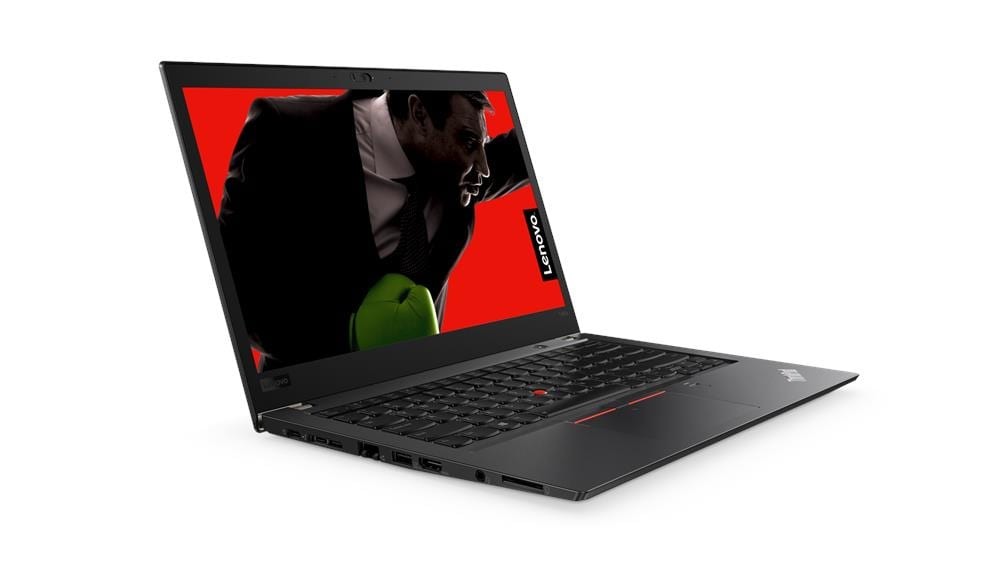
A refurbished laptop can be the smartest purchase you make this year — or an expensive lesson. The difference is ten minutes of checking. Whether you buy from Laptops Gulf, another Sharjah store, or an online seller anywhere in the UAE, run through this checklist on the exact unit you will take home.
The Checklist
1. Battery Health
The single most important check. Ask for the battery’s health percentage or cycle count (on Windows: the seller can generate a battery report in one minute). 80% or above is good; below 70% means a replacement bill is coming — negotiate it into the price or walk away.
2. SSD Health and Type
Confirm the storage is an SSD, not an old spinning hard drive. Check its reported health with a free tool (CrystalDiskInfo). A healthy SSD should show 90%+ health.
3. Screen — Colours, Spots and Brightness
Open a pure white page and a pure black page. Look for dark spots, bright patches, dead pixels and uneven brightness. Business laptops (EliteBook, ThinkPad, Latitude) have excellent panels — flaws should be disclosed and priced in.
4. Every Key on the Keyboard
Open a document and type every row, including function keys. Then test the trackpad — clicks, scroll and palm rejection.
5. All Ports
Plug something into every USB port, the HDMI port and the headphone jack. Ports wear out on ex-corporate machines and are rarely mentioned in listings.
6. Wi-Fi and Bluetooth
Connect to the shop’s Wi-Fi, load a video, and pair a Bluetooth device if you use one. Weak Wi-Fi cards are a classic hidden fault.
7. Webcam and Microphone
Open the camera app and record five seconds of video with sound. Zoom calls are daily life now — a dead mic is a deal-breaker.
8. Hinges and Body
Open and close the lid slowly. It should hold any angle without wobbling. Check corners for cracks — cosmetic wear is fine and normal; structural damage is not.
9. Charger
Confirm the charger is the correct wattage for the model and that the laptop charges without flickering. A wrong, cheap charger damages batteries over time.
10. Windows Activation and Software
Settings → System → Activation should show Windows activated with a digital licence. A machine asking you to “activate Windows” later is an unfinished refurbishment job.
11. Heat and Noise
Let the laptop run a video for five minutes. Warm is normal; loud fan grinding or sudden shutdowns are not.
12. The Paperwork — Warranty and Returns in Writing
Finally, the check that protects all the others: the warranty period and return window printed on your invoice. At Laptops Gulf that is a 12-month warranty and 10-day returns (customer pays return shipping) on every laptop.
What If You Are Buying Online?
You cannot run these checks on a listing photo. Protect yourself by buying only from sellers who: publish a physical address and phone number, state battery health and warranty terms in the listing, offer cash on delivery, and accept returns. Or visit the store — our Sharjah shop is at Office # 6, near Sharjah Cricket Stadium, Industrial Area 6, and you can run this entire checklist on your exact unit before paying.
Frequently Asked Questions
How long should the battery of a refurbished laptop last?
A healthy refurbished battery (80%+ health) typically gives 4–7 hours of office work depending on the model.
Is some cosmetic wear normal?
Yes — light scratches or shine on the keyboard are normal on ex-corporate machines and do not affect performance. Cracks, dents near hinges and screen marks should be disclosed.
Can I ask the seller for a battery report?
Absolutely — any professional seller will share it. Refusing is a red flag.
What is the biggest red flag when buying refurbished?
“No warranty” — or a warranty the seller will not put in writing. A tested laptop with a written warranty is the whole point of buying refurbished instead of used.
Do Laptops Gulf laptops pass this checklist?
Yes — this is the same test sequence our technicians run before any laptop is listed, and you are welcome to re-run it in-store on your unit.
Keep Reading
Ready to shop? Browse all refurbished laptops in our shop. You may also find these guides helpful: Refurbished Laptops in Sharjah — The Complete Buying Guide, Best Refurbished Laptops Under AED 1,000 in the UAE and Refurbished vs New Laptops in the UAE: An Honest Comparison.
Ready to Shop?
Browse tested, certified refurbished laptops with a 12-month warranty in writing and 10-day returns.
4 Comments
[…] shop. You may also find these guides helpful: Best Refurbished Laptops Under AED 1,000 in the UAE, How to Check a Refurbished Laptop Before Buying: 12-Point Checklist and Refurbished vs New Laptops in the UAE: An Honest […]
[…] may also find these guides helpful: Refurbished Laptops in Sharjah — The Complete Buying Guide, How to Check a Refurbished Laptop Before Buying: 12-Point Checklist and Refurbished vs New Laptops in the UAE: An Honest […]
[…] Our full pre-purchase walkthrough is here: how to check a refurbished laptop before buying. […]
[…] for more choice. For more help, read Refurbished Laptops in Sharjah: The Complete Buying Guide and How to Check a Refurbished Laptop Before Buying: 12-Point Checklist. The full rules are on the Warranty and Returns […]